Moving your company over from another system
Bring your customers, vendors, jobs and open money across as files, set your opening balances on a date you choose, then check the two systems against each other until they agree. You do it inside the product, in your own time, and nothing is written until you approve it.
See pricing — it's public · Why SelfConstruct
Start with the lists you already have
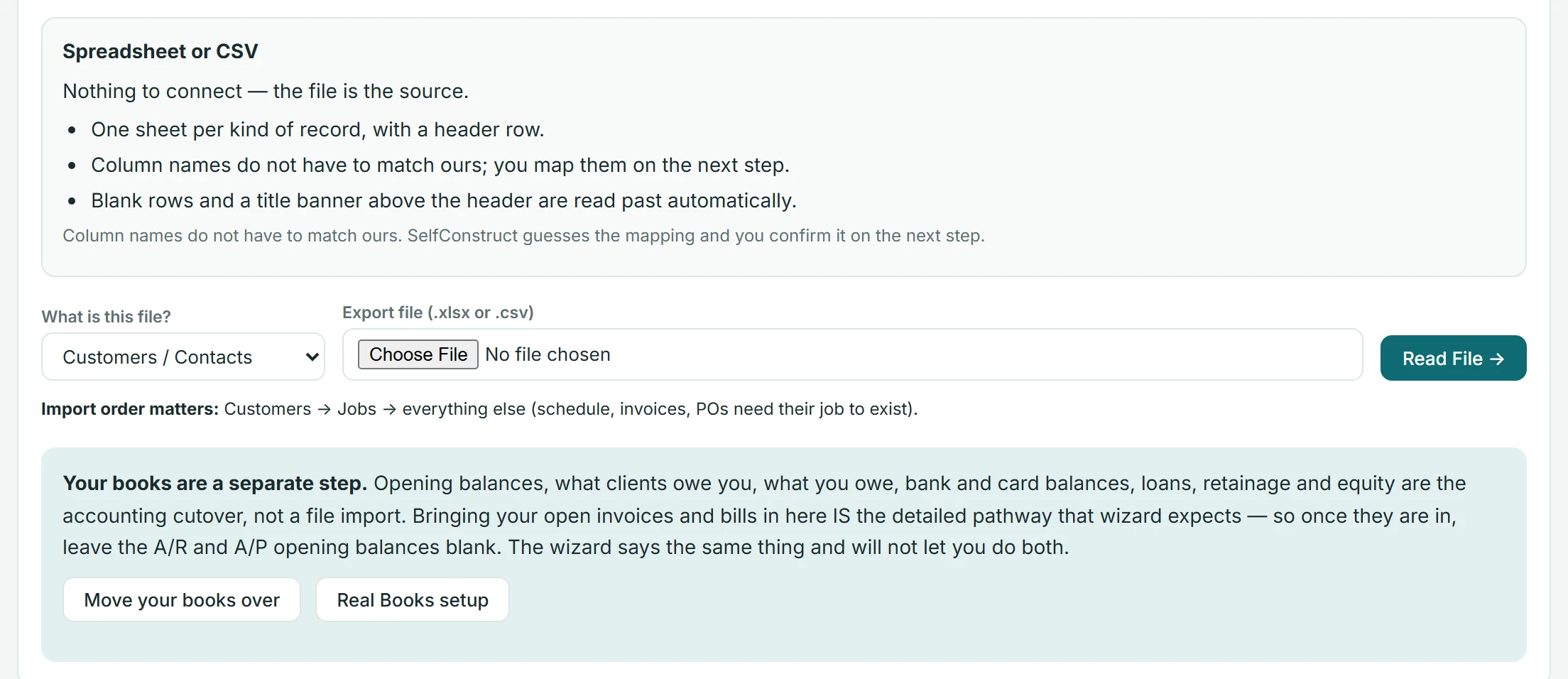
Customers, vendors, jobs, leads, schedule items, to-dos, open invoices, purchase orders and unpaid bills — nine kinds of record — come across as files. Export the data from whatever you run today as Excel or CSV, one list to a file, up to 25 MB and 5,000 rows a file and 12 files to a batch, and upload them. Your column names do not have to match ours: you map them on the next screen, and the mapping is saved with the batch, so a year from now you can still see how each column was read.
Nothing is written until you say so
Upload, analyse, map, validate, preview, import. Everything before that last step is read-only. A possible duplicate becomes a question with a suggested answer — use the record already here, create a new one, or skip the row — and the import refuses to run while one of those questions is unanswered. Upload the same file twice and it recognises itself and tells you which batch brought it in the first time.
Your opening balances, on a date you pick
You choose a cutover date: the day this becomes the system of record. The books wizard then walks the balance sheet one line at a time — cash, receivables, retainage, payables, credit cards, loans, fixed assets, customer deposits, equity — and it will not post an entry that does not balance. If the open invoices you imported already carry your receivables, it refuses to let you enter that balance a second time, names both figures, and shows you the one way through.
Then you check it, line by line
After the import, a reconciliation report sets what your old figures said beside what this system now holds: customers, vendors, open jobs, what clients owe you, what you owe, each bank account's opening balance, and the difference on the opening trial balance. It reads verified only when every line agrees, and until then it names the line that does not.
What does not come across, and why
Some things stay where they are, and it is better to know that now than in March. Your general ledger history stays in your old books — what moves here is your position on the cutover date, which is what your next return is built from, and your old records stay yours to keep for as long as your accountant wants them. Documents, photos, plans and signed contracts are attached here as the work needs them, not uploaded in bulk. Estimates, change orders, selections, daily logs, payment history and time history start here. Your people are created on the Team screen, one at a time. Cost codes are a list you keep rather than a file you upload: the built-in construction list is there on day one and you edit it to match how you bid. And there is no connection reaching into the software you use today — you export, you review, you approve. Nothing here ever writes back to the system you are leaving.
Questions builders ask
Will I lose my history?
No. Your old system keeps it. What moves here is your open work and your financial position on the cutover date; what stays there is the detail behind the years you have already closed. Keep that system readable for as long as your accountant asks you to.
Who has to do this?
An owner or an administrator, because an import creates records for the whole company and opening balances land in your books. Posting those balances is the owner's own act — it takes a typed confirmation phrase, and it is the one step worth scheduling with your accountant.
What if a file is wrong?
You see it before it is written. The preview counts what would be created for each kind of record and lists every issue it found, and an import that has already gone in can be taken back where that is still accounting-safe. Once money has moved on an imported record — a payment against an invoice, a bill you have paid, a document inside a closed month — the batch stops offering to take it back and points at the record instead, because reversing it then would leave your books wrong.
Is any of this extra?
No. The import screens and the books wizard are part of the product; moving your data in costs nothing on top of the published price.
See it working right now
The live demo is a fictional construction company you can click through end to end — including a working client portal — the whole product, running. Pricing is published on the site: $299/mo per company, unlimited users, 50 GB of storage included.
Related
Explore SelfConstruct
© 2026 SelfConstruct™ · selfconstruct.app · Contact · Security · Privacy · Terms · EN · ES
hello@selfconstruct.app · (720) 919-3396 · SelfConstruct, LLC · PO Box 4158, Granby, CO 80446