Commercial contractor software without the enterprise implementation
Tenant improvements, small commercial ground-up, restaurant and retail buildouts — the documentation discipline of commercial work, on a platform a five-person office can actually turn on.
Opens a short form. Nothing is paid here; a person sets up your company, usually within one business day.
See pricing — it's public · Why SelfConstruct
See SelfConstruct running a fictional commercial construction company
Open the demo and you are inside Girderwell Contracting, a fictional commercial construction company running the real product: click anything, nothing changes.
Works today: quotes, jobs, invoices, payments you record, JobFi™.
Not available yet for your trade:
- A printable pay application with continuation sheet
- Certified payroll reports for public work
The demo's welcome card says the same. The names, people, jobs and prices in this demo are illustrative.
Construction Software by Trade
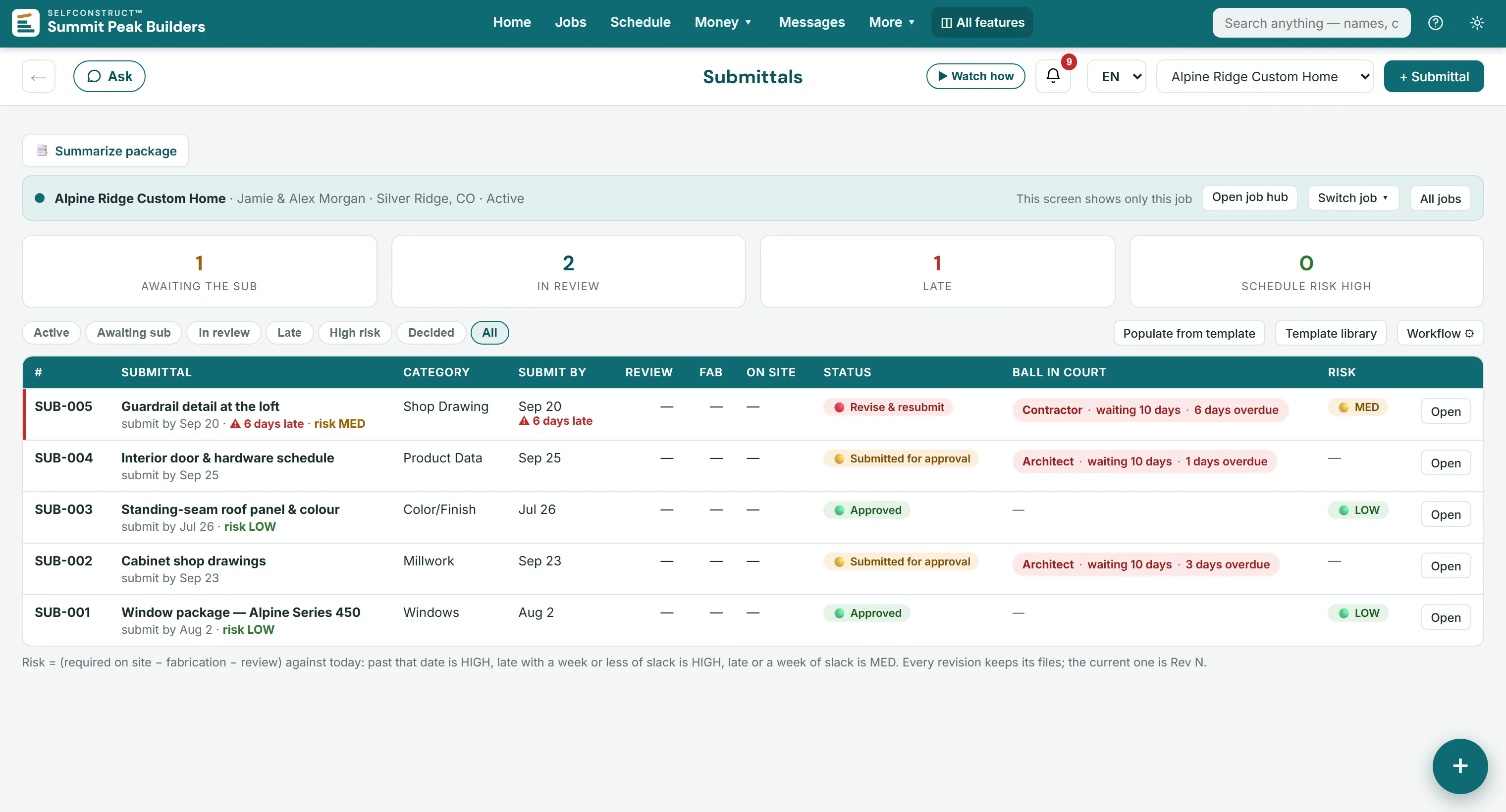
Submittals and RFIs, tracked and answered
Submittals logged with their status and their reviewer; RFIs raised, routed and answered with the answer attached to the job. The paper trail commercial work runs on, without a document-control consultant to set it up.
Retainage and lien waivers, handled as a matter of course
Hold retainage on what you bill and on what you owe subs, release it when the contract says, and track lien waivers against payments so a closeout does not become an archaeology project.
Every sub in their own portal
Scope, dates, documents and their own billing — visible to them, invisible to each other, and none of them looking at your costs. Unlimited users means adding the whole subcontractor list costs nothing.
Job costing that reaches the ledger
Cost codes you define, committed costs through purchase orders, and job cost against budget in a system that posts to a real double-entry general ledger. The WIP conversation with your CPA starts from your own books.
Questions builders ask
Do you produce AIA G702 and G703 pay applications?
No, and that is a real limitation worth knowing before you evaluate. SelfConstruct bills by draw and progress with retainage held and released, but it does not generate AIA-format G702/G703 forms. If your owners or lenders require them, you would be reformatting by hand.
Does it do certified payroll or prevailing wage?
No. There is no certified-payroll reporting and no prevailing-wage rate handling, so public and government-funded work is not a good fit. Private commercial — TI, retail, restaurant, small ground-up — is where this belongs.
Is it going to take six months to implement?
No. It is a single instance with your data in it, not a platform to configure. $299/mo per company covers the company with unlimited users, and there is a live demo you can open before you talk to anyone.
See it working right now
The live demo is a fictional construction company you can click through end to end — including a working client portal — the whole product, running. Pricing is published on the site: $299/mo per company, before sales tax, with unlimited users and 50 GB of storage included.
Opens a short form. Nothing is paid here; a person sets up your company, usually within one business day.
Related
Explore SelfConstruct
Resources
© 2026 SelfConstruct™ · selfconstruct.app · Contact · Security · Privacy · Terms · EN · ES
hello@selfconstruct.app · (720) 919-3396 · SelfConstruct, LLC · PO Box 4158, Granby, CO 80446